
How to change language of your cPanel

1. Log into your cPanel account.
2. In the "Preferences" section, click on "Change Language" icon.

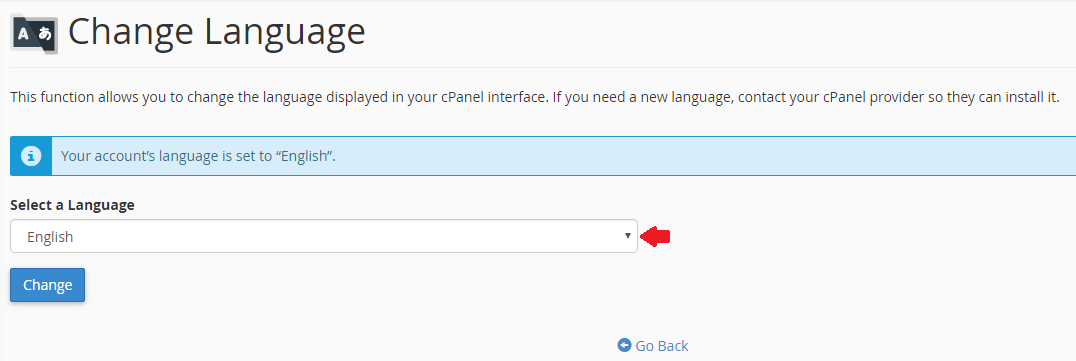
3. From the cPanel Language Configuration page, chose your language from the dropdown menu and then click on the "Change" button.
  • 0 Users Found This Useful
Was this answer helpful?

Related Articles

How to access cPanel

Once your order is complete go to https://fsashosting.com/clientarea.php from here you can select...

How to change cPanel theme

1. Log into your cPanel account.2. Click on the menu labeled with your account name in the header...

How to check disk usage of directory and bandwidth usage

How to check Disk usage:1. Log into your cPanel account.2. In the "Files" section, click on "Disk...

How to create CronJobs via cPanel

1. Log into your cPanel account.2. In the "Advanced" section, click on "Cron Jobs" icon. 3. Under...

How to edit a file via the cPanel File Manager

1. Log into your cPanel account.2. In the "Files" section, click on "File Manager" icon. 3. Click...

Powered by WHMCompleteSolution