
If you are going for a holiday or will be unavailable for few days or a month, you can create an email autoresponder so that when people email you, they will receive an automated response with your message like "I am on a holiday, please email me in a few days' time".
1. Log into your cPanel account.
2. In the "Email" section, click on the "Autoresponder" icon. 
3. On the "Auto Responders" page, click on the "Add Autoresponder" button.
4. In the Interval field, specify the number of hours you wish the autoresponder to wait between responses to the same e-mail address.
5. In the Email field enter your email address on which you want to enable autoresponder. If you want to enable auto responder on support@example.com, enter "support" (without the quotes) in the email field and should you have multiple domains, select the appropriate domain from the dropdown list.
6. In the From field, enter the name that the autoresponse will be from.
7. In the Subject field enter your email subject like "I am on vacation", etc.
8. Select the start and stop time of your autoresponder.
9. Click on the Create/Modify button.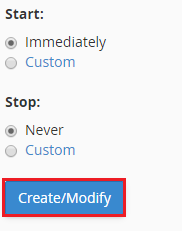
How to remove Autoresponder:
1. Open Autoresponder.
2. You should see your autoresponder email list under "Current Autoresponder".
3. Next to autoresponder, click on "Delete Autoresponder".