
How to change your cPanel account password

If you can access your cPanel account, follow these steps to reset your password:

1. Log into your cPanel account. (eg: www.example.com/cPanel)
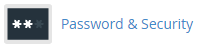
2. In the "Preferences" section, click on "Password & Security" icon.  
3. Enter your current password.
4. Enter your new password or use a password generator.
5. Click on "Change your password now!".
You will see a success message, it means your password is changed, log out and access your account using your new password.

Note: If you forgot your cPanel password and are unable to access your account, please open a ticket with us.

  • 0 utilizatori au considerat informația utilă
Răspunsul a fost util?

Articole similare

How to access cPanel

Once your order is complete go to https://fsashosting.com/clientarea.php from here you can select...

How to change language of your cPanel

1. Log into your cPanel account.2. In the "Preferences" section, click on "Change Language" icon....

How to change cPanel theme

1. Log into your cPanel account.2. Click on the menu labeled with your account name in the header...

How to check disk usage of directory and bandwidth usage

How to check Disk usage:1. Log into your cPanel account.2. In the "Files" section, click on "Disk...

How to create CronJobs via cPanel

1. Log into your cPanel account.2. In the "Advanced" section, click on "Cron Jobs" icon. 3. Under...

Powered by WHMCompleteSolution